- SUIE - Professional Self Order Kiosk, Self Checkout Kiosk And Self Payment Kiosk Manufacturer In China.
Language
With strong R&D strength and production capabilities, SUIE now has become a professional manufacturer and reliable supplier in the industry. All our products including self ordering kiosk supplier are manufactured based on the strict quality management system and international standards. self ordering kiosk supplier We have been investing a lot in the product R&D, which turns out to be effective that we have developed self ordering kiosk supplier. Relying on our innovative and hard-working staff, we guarantee that we offer customers the best products, the most favorable prices, and the most comprehensive services as well. Welcome to contact us if you have any questions. has rich production experience, excellent production equipment, and perfect management system. It not only has a professional production workshop, but also has established a scientific quality management system and standardized production management process. The self ordering kiosk supplier produced is fine workmanship, stable quality, and high quality trustworthy.
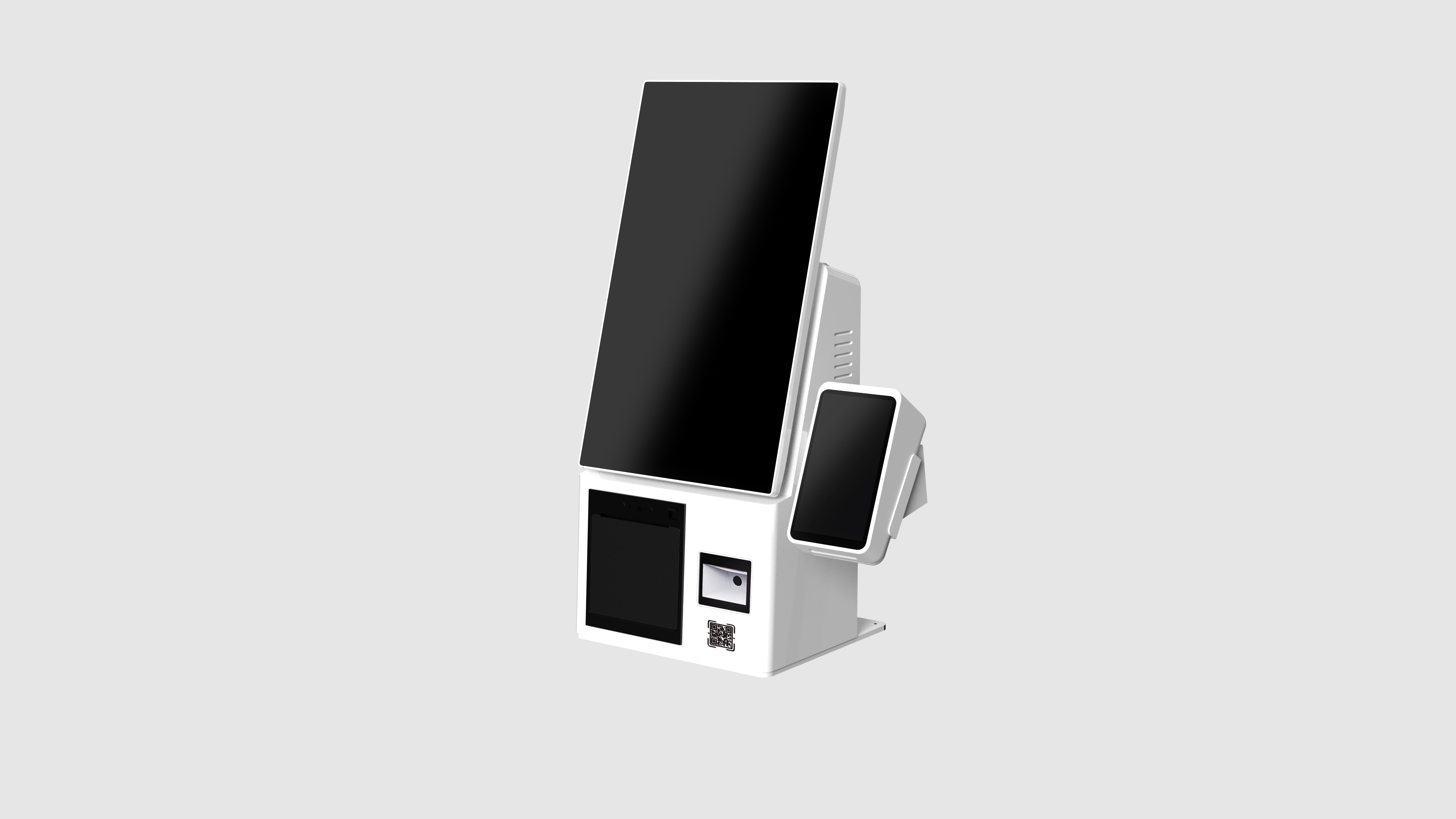
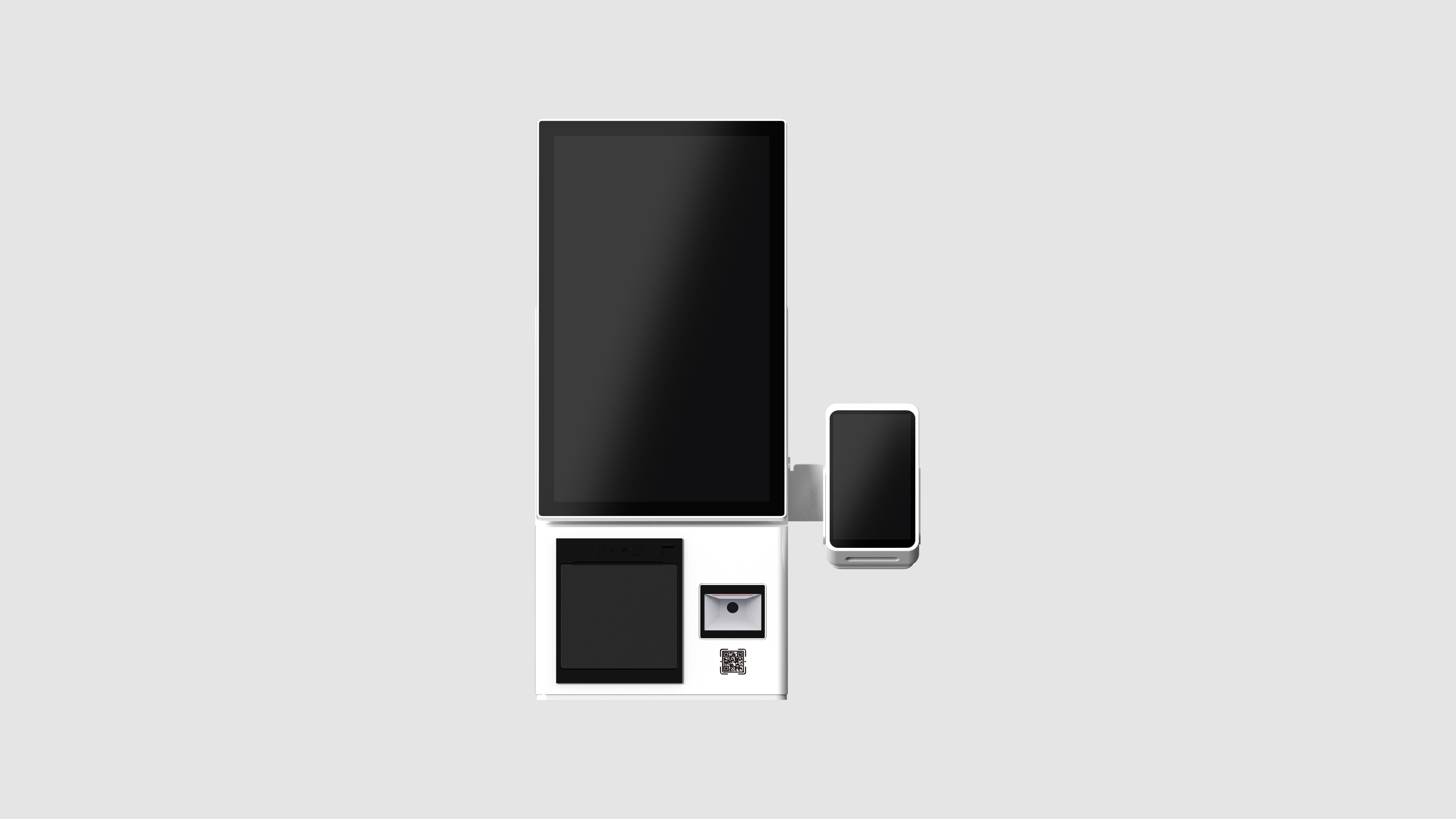
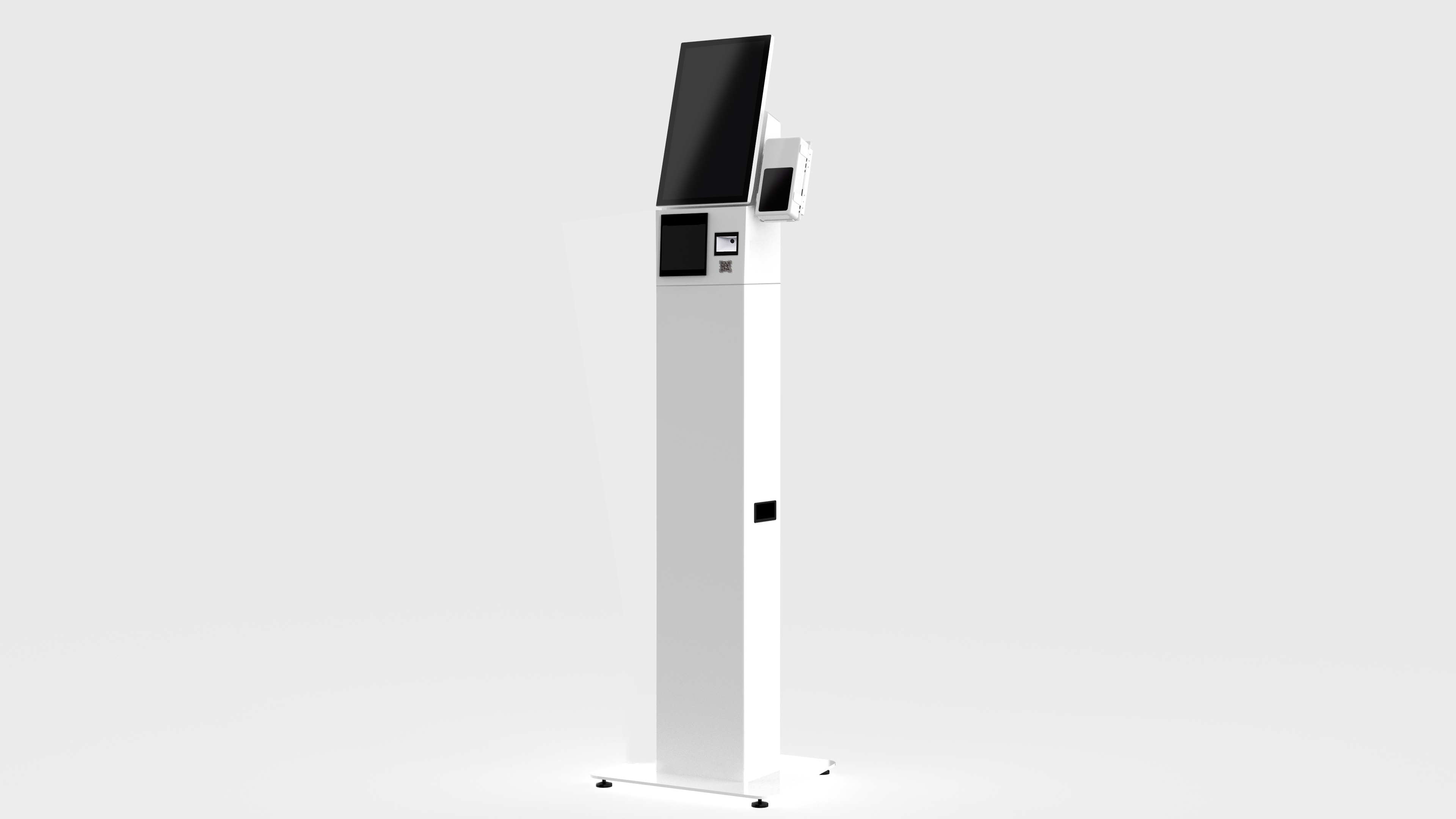
K8-Self Service Kiosk/Self Checkout Kiosk Features:
We are proud to launch our latest innovation, the K8 self ordering kiosk —a product that embodies our years of experience and customer feedback, designed to enhance the user experience.
- The entire unit rotates 180 degrees, adapting flexibly to different scenarios.
- The screen viewing angle can be easily adjusted from 0 to 40 degrees.
- Supports both portrait and landscape modes, meeting diverse needs.
- Compatible with 15.6" or 21.5" capacitive touch screens, with an optional dual-screen setup.
- Suitable for both desktop and floor-standing installations.
- Compatible with both Windows and Android operating systems.
- Integrated thermal printer, QR code scanner, and POS stand for comprehensive functionality.
- Back-door design for easy maintenance and time-saving.
1.180° Rotation & Adjustable Tilt:
▶Screen rotates 180° and tilts 0-40° for ergonomic use in any environment.
2.Dual-Screen Compatibility:
▶Optional second screen for additional content (e.g., ads, menus, promotions).
3.High-Brightness Display (260-300 nits):
▶Ideal for indoor/semi-outdoor use with excellent visibility.
4.Projective Capacitive Touch:
▶Responsive, scratch-resistant, and supports multi-touch gestures.
5.Integrated Peripherals:
▶Thermal printer for receipts.
▶1D/2D QR scanner for quick payments/ticketing.
▶POS stand for secure payment terminal mounting.
6.Back-Door Maintenance Access:
▶Easily replace paper rolls, clean the printer, or service components without disassembly.
7.Sleek & Durable Design:
▶Robust build for high-traffic public areas.
1.Retail & Supermarkets:
Self checkout kiosks to reduce queues and labor costs.
Promote upselling/cross-selling via interactive ads.
2.Restaurants & Hospitality:
Self ordering kiosks for faster service and order accuracy.
Tableside payment and loyalty program integration.
3. Healthcare:
Patient check-in/out kiosks to streamline registration.
4.Banking & Finance:
Self service transaction kiosks.
5.Smart Cities & Transportation:
Wayfinding kiosks in airports, train stations, and malls.
Ticketing kiosks for buses, trains, and events.
6. Government & Public Services:
Information kiosks for citizen services.
Emergency alert systems.
Installation Guide
1.Unpack & Assemble:
●Remove the kiosk from packaging and attach the base (if floor-standing) or secure it to a desktop.
●Connect peripherals (printer, scanner, POS stand) using USB/serial ports.
2.Power On & Configure:
●Plug in the power adapter and turn on the kiosk.
●Set up Wi-Fi/Bluetooth and install required software (OS-dependent).
3.Adjust Display Settings:
●Ensure the screen resolution is set to 1920×1080 for optimal clarity.
●Rotate and tilt the screen to the desired angle (0-40°).
4.Test Peripherals:
●Verify that the printer, scanner, and POS stand work correctly.
5.Secure Mounting:
●Ensure the self service kiosk is firmly attached to the floor or desktop.